Fullscreen breaks

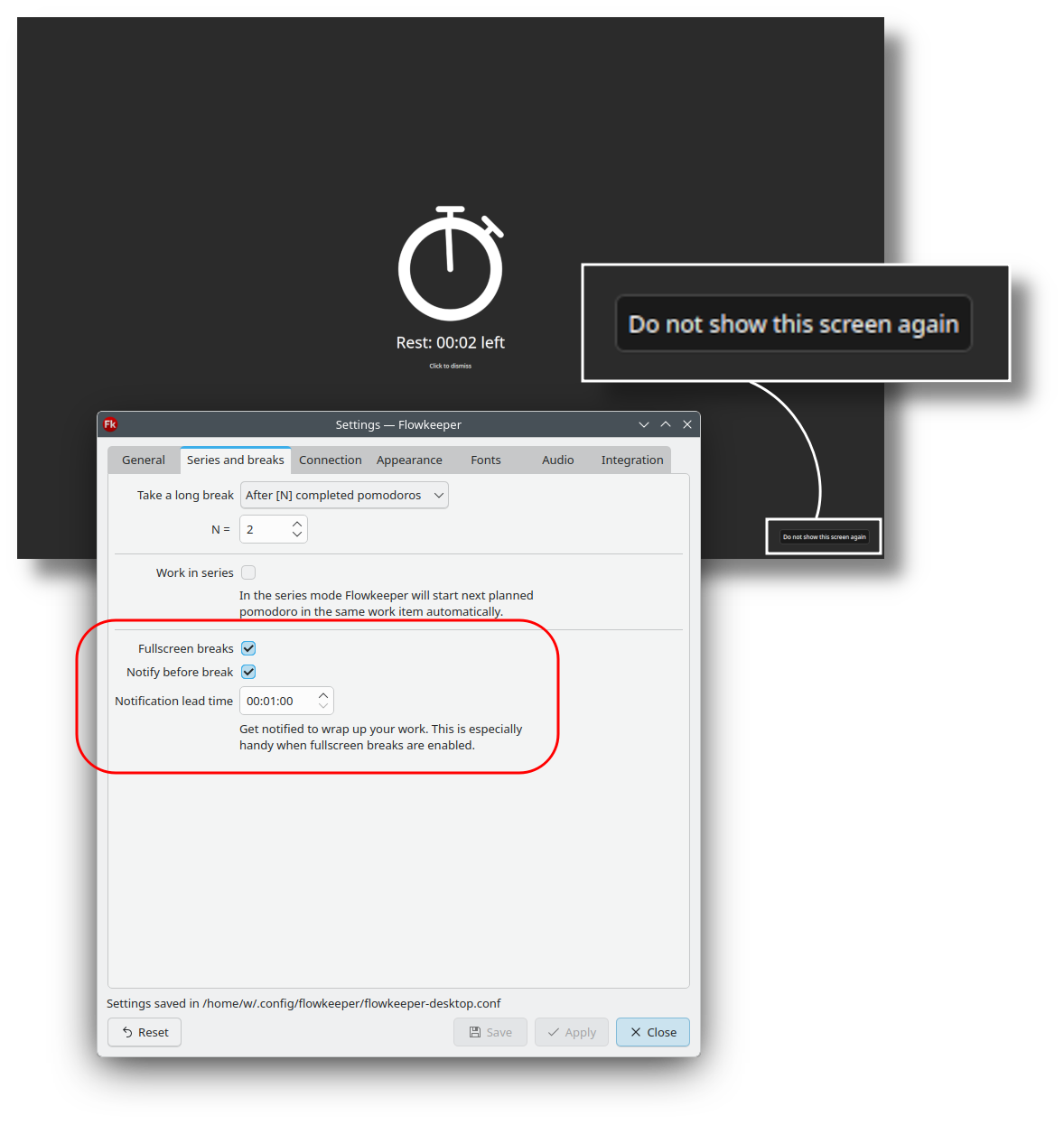
Fullscreen breaks are now implemented for all operating systems and enabled by default.

They are only displayed on the primary screen, and can be dismissed by clicking or pressing any key. Furthermore, they can be disabled permanently in Settings > Series and breaks > Fullscreen breaks, or by clicking "Do not show this screen again" in the bottom-right corner.

Fullscreen notifications are pretty intrusive. To prevent unwanted interruptions, I added a new taskbar notification, which by default fires one minute before the end of each pomodoro. It plays three knocks to remind you about approaching break. This is also configurable, including the audio.

By the way, let me know if you'd like an option to disable easy dismissal (might help you enforce Pomodoro discipline).

GitHub Issues: #67

Task categories

So far Flowkeeper helped you execute work that you chose. Now it also helps you choose.

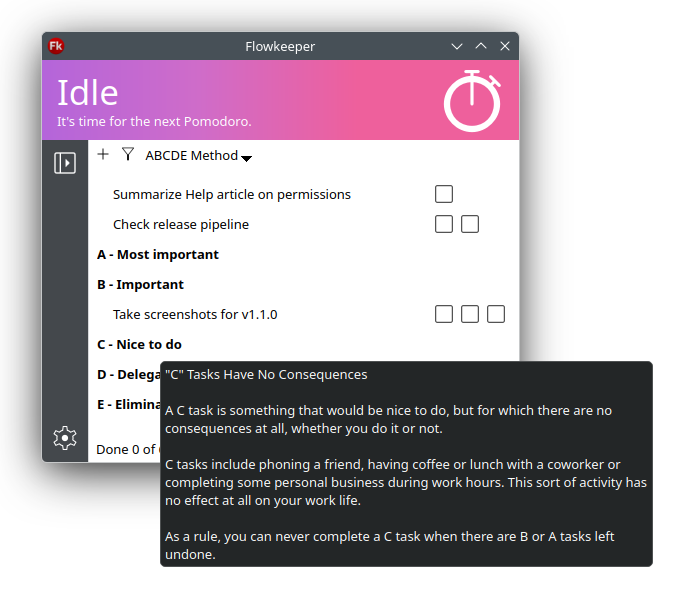
All you need to do is pick one of the popular prioritization methods from the list and drag your existing tasks between the groups. If you're unsure, just hover your mouse over a group name to get an explanation. When you create new work items, Flowkeeper asks you for a group first.

A single task can be assigned to different categories. Categorization "survives" moving between backlogs and the "New Backlog from Incomplete" action. It is fully supported by export / import mechanism.

Categorization can be an alternative to #tags.

GitHub Issues: #177

Standard categories

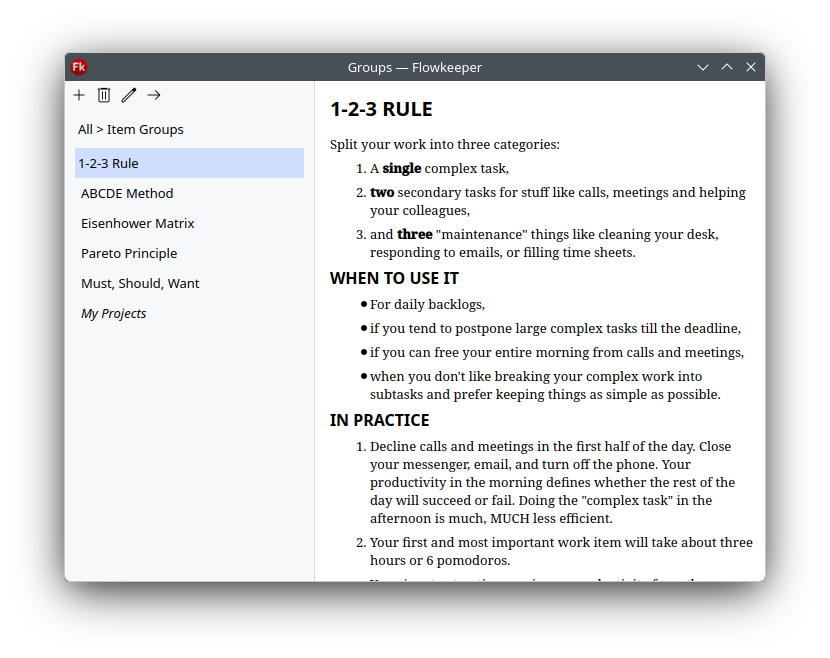
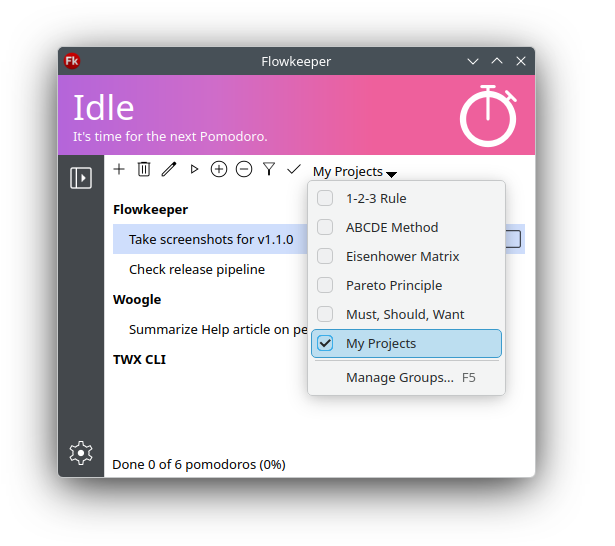
I tried most (all?) popular prioritization techniques and documented my findings in Flowkeeper. Press F5 or select "Manage Groups..." from the categorization dropdown menu to see the result.

I encourage you to check out those methods, as they can take your individual productivity beyond Pomodoro Technique. At first they may look simple (even trivial!) but if you take it seriously, the effect can be surprisingly powerful.

You can modify those groups and even delete them. Those modifications are stored in the data file, so they can be exported and imported on another machine, and will survive settings reset.

The list could've been longer, but I discarded some of the systems, such as 3-3-3 Method, Pickle Jar Theory, MoSCoW Method and Warren Buffett's 5/25 Rule, as those were equivalent to the other ones, and I didn't want to waste time describing them...

GitHub Issues: #177

Custom categories

You can create new categories, reorder, rename and delete them using familiar Flowkeeper UI paradigm. Every work item can be assigned to different categories, which creates a multitude of use cases: Custom prioritization and "sizing" techniques; Grouping tasks by projects or learning subjects; Splitting work between professional and private, long-term and short-term, etc.

If you delete a category, all associated work items automatically become uncategorized. If you rename or reorder categories, it doesn't affect the data. In other words, you can safely play with this, and you won't lose anything.

You can even delete all standard categories and only leave your custom ones.

GitHub Issues: #177

Mute button

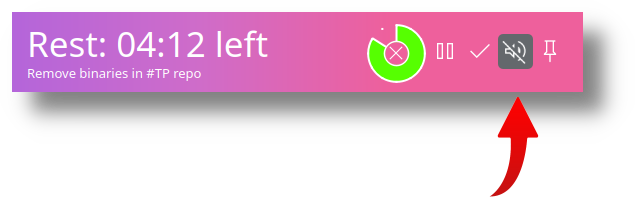
Mute button shows up in both "classic" and "minimal" focus modes while you are in a pomodoro. It allows you to mute timer ticking and rest music temporarily, for example if you need extra focus or if somebody called you.

GitHub Issues: #151

Undo task completion

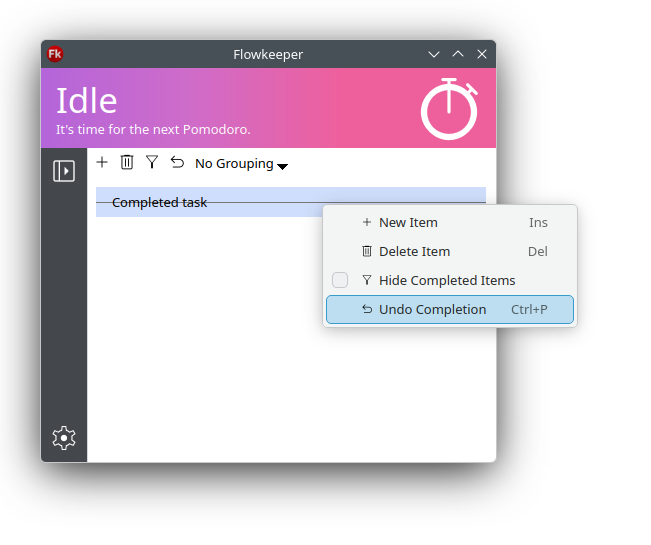
Being able to undo task completion was one of the most popular requests, so here it comes. Select a completed task and press Ctrl+P again.

GitHub Issues: #55, #198

New themes and logo

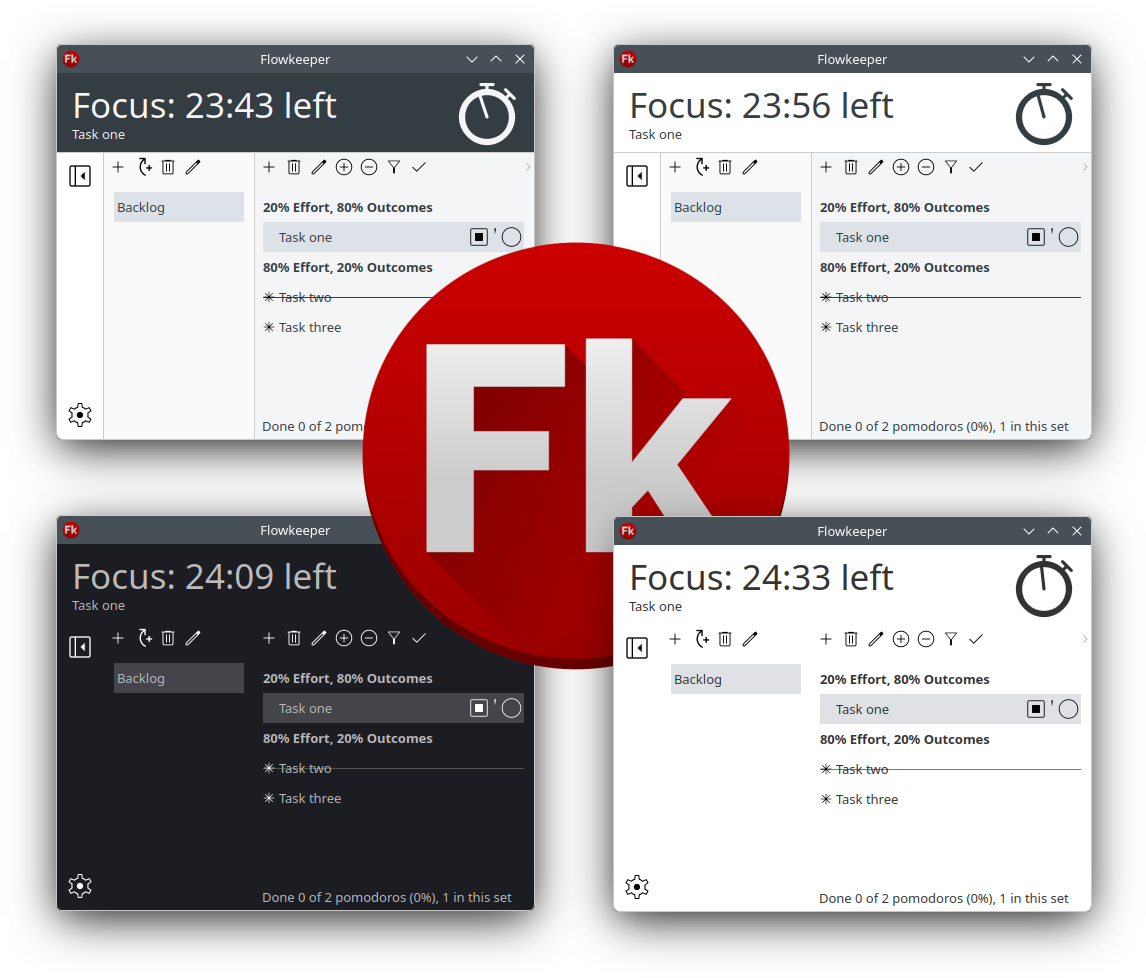
This release includes a few cosmetic improvements, namely new Flowkeeper logo and a couple of new themes. The new icon conforms to KDE icon guidelines. The themes are grayscale, with colors closely matching Reddit light and Windows dark color schemes.

GitHub Issues: #53

Miscellaneous

Minor and technical improvements

  • Existing window is activated when another Flowkeeper instance is launched. Settings > General > Single Flowkeeper instance is enabled by default.
  • "About > System info" tab to help reporting issues.
  • Upgraded to the latest Qt 6.11.
  • Fixed a bunch of code quality issues reported by SonarQube.
  • Switched to Nuitka 4.x to compile the binaries.
  • RPM builds and Fedora repos in OBS.
  • Converted all audio resources to m4a format to reduce the number of bugreports associated with audio.
  • Metadata on workitems and backlogs (huge enabler for future features!)
  • New build configurations: Ubuntu 26.04, macOS 26 and Windows 11 ARM.
  • Flowkeeper can now be found Snapcraft.

Bug fixes

  • An issue when launching Flowkeeper during a long break.
  • Two bugs with import/export handling of reordering.
  • Drag-and-drop in Wayland.
GitHub Issues: #89, #112, #127, #223